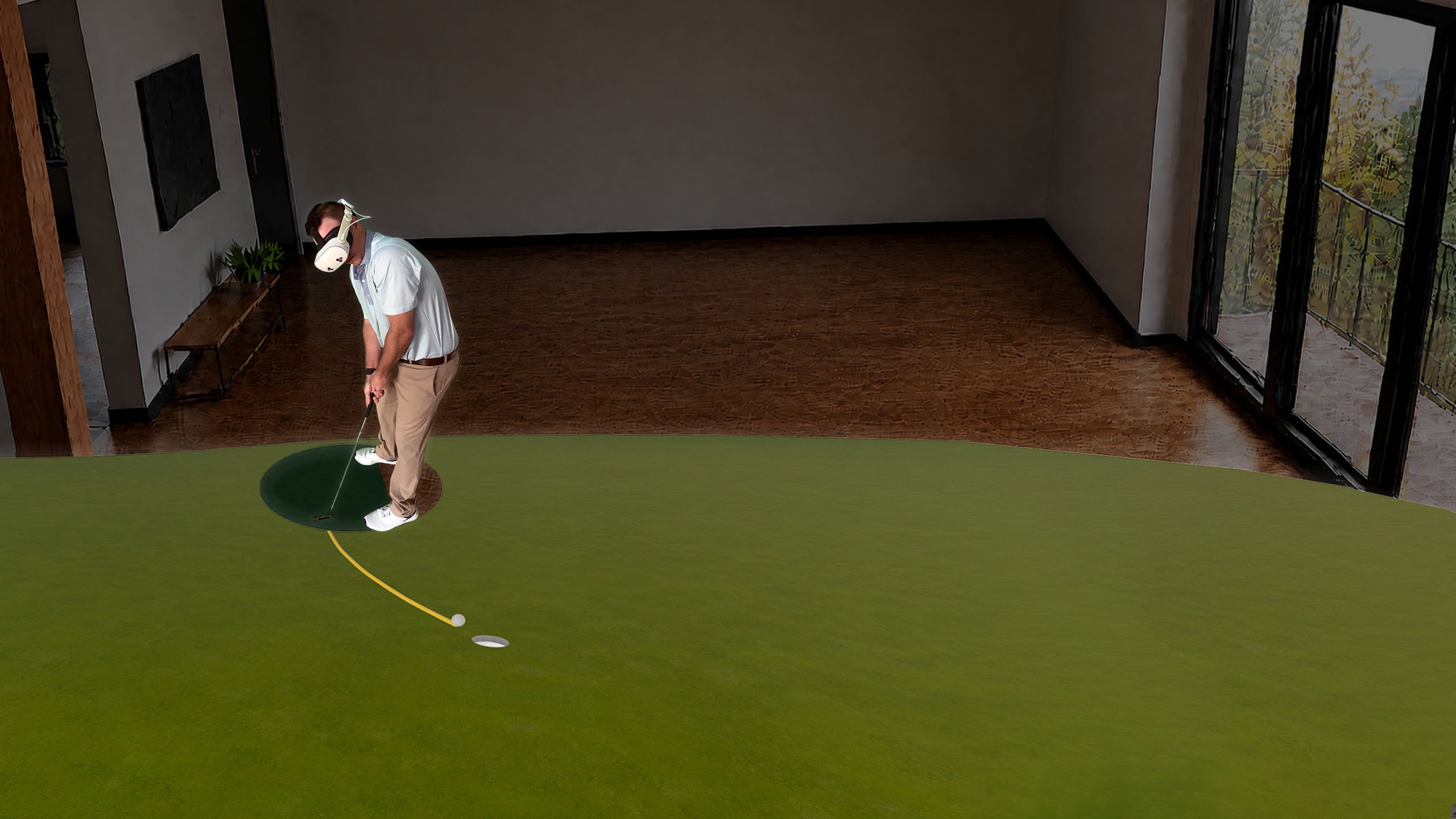
A golfer wearing a Meta Quest headset putting across a full-scale championship green rendered on his living room floor, the ball tracking along a curved line toward the hole.

Available October 19 on Meta Quest 3/3S Available 10/19 on Meta Quest 3/3S

Practice the impossible.

Bring the greens from over 100 championship courses into your living room, your office, or your hotel room — at full scale.  Practice any putt, at any green speed, to any pin location.  All you need is your Meta Quest 3/3S headset, a dark putting surface, a real putter, and a real ball.

100+ Championship courses Includes 2027 tour courses
1000+ Drills and game modes
50+ Historic putt recreations
10+ Training aids All in one app

How it works

Real equipment.  Real practice.  Real results.

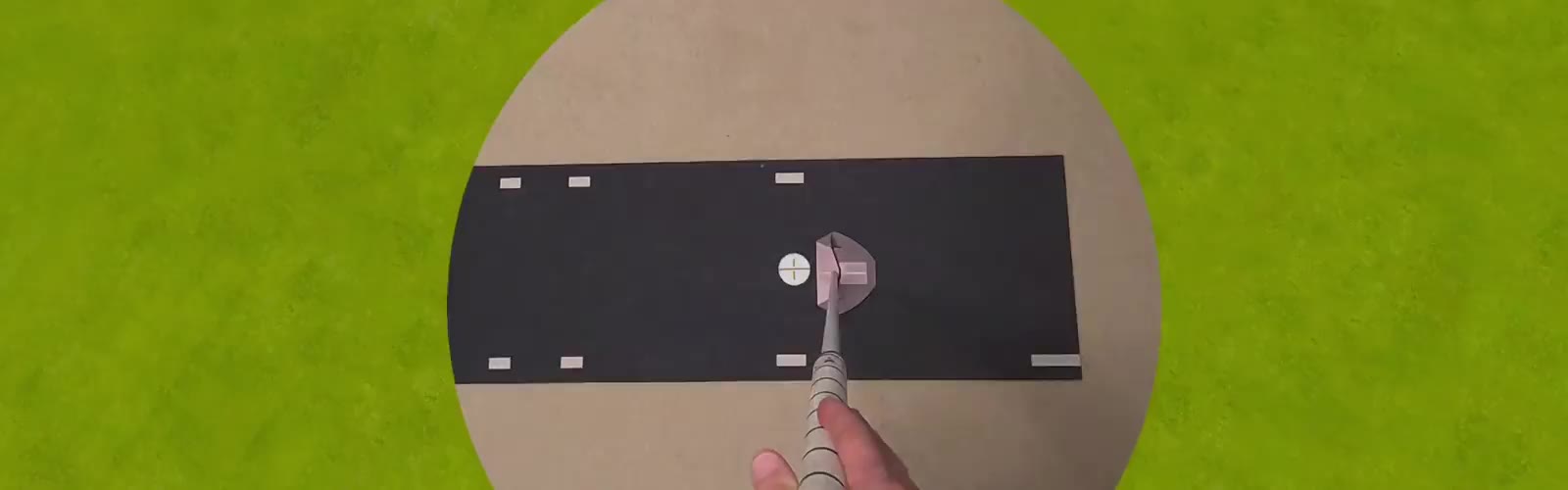
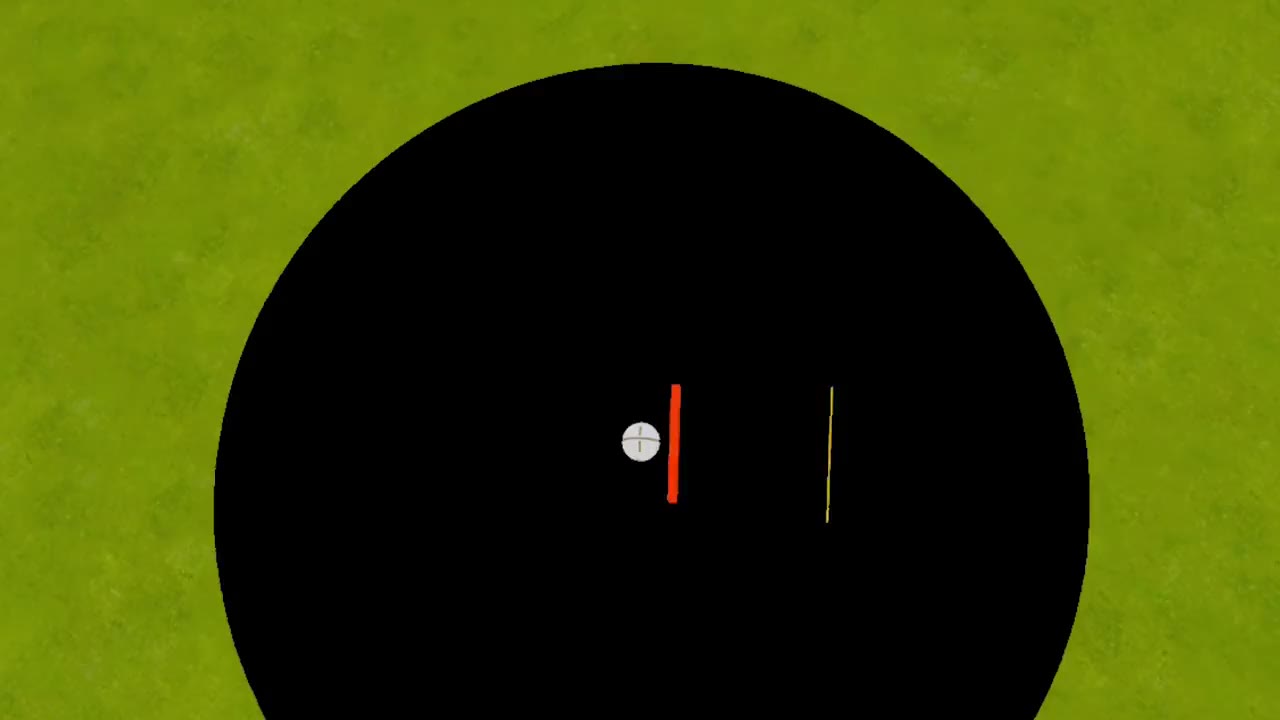
First-person view from the headset: a real putter and ball on the dark mat, then the virtual ball rolling away across the green with its path drawn behind it.
  1. Ball tracked at address through impact

    The headset's passthrough cameras follow your golf ball off your putter face for the first foot of roll.

  2. Virtual ball takes over

    The virtual ball transitions seamlessly to the location of your rolling golf ball within a split second after impact.

  3. A true roll every time

    The ball rolls out on the green's actual topography at the green speed you set, with a clear visual of its rolling trajectory.

Everything you need

One mixed reality headset.
No launch monitor.
Nothing on your putter.

The app experience is driven solely by your hands.

No external mounts and sensors are needed — which is the whole reason this works in a hotel room.

A golfer in a Meta Quest headset putting off a dark mat in a hotel room, beside the bed, with a real putter and ball.
Available October 19

Meta Quest 3 & 3S

The magic is already inside the headset —
and on your floor.

Launch monitor
Not required
Ball tracking
On-headset
Surface
Black or dark green mat recommended
Space required
16 sq ft, indoors
Equipment
Real putter and golf ball
Store
Meta Horizon Store
Download on Meta Quest 3/3S

Free demos included — try it before you subscribe.

The setup

Nothing to install.  Nothing to calibrate.

A golfer standing in a Meta Quest headset, facing his putting direction, one hand raised to open the app.

01

Face the direction you want to putt and open the app

Put on your Meta Quest headset and face your entire body towards the desired putting direction.  Then, open the Dream Putt app.

The Practice menu in the headset: Dynamic Practice Mode and Course Mode side by side, with a hand ray pointing at Course Mode.

02

Select your putting experience

Practice specific putts in Dynamic Practice Mode or load a specific green in Course Mode.  Load any of 1000+ drills to challenge yourself.

Looking down from address: the dark mat ahead with the alignment line along it, the virtual ball in a green zone inside the white box, and the golfer's shoes in frame.

03

Align your mat

Position your dark mat (if needed) along the alignment line and set the virtual ball to match your real ball.  If you have a meditation pillow, place it at the end of the white box (if necessary to stop putts).

A golfer in a Meta Quest headset standing over the ball on the mat, the virtual green stretching out ahead of him with the ball on its way to the hole.

04

Putt!

That's it!  The app takes care of the rest and gives you a one-stop shop to work on any facet of your putting.

Putt without limits

Change anything.  Change everything.

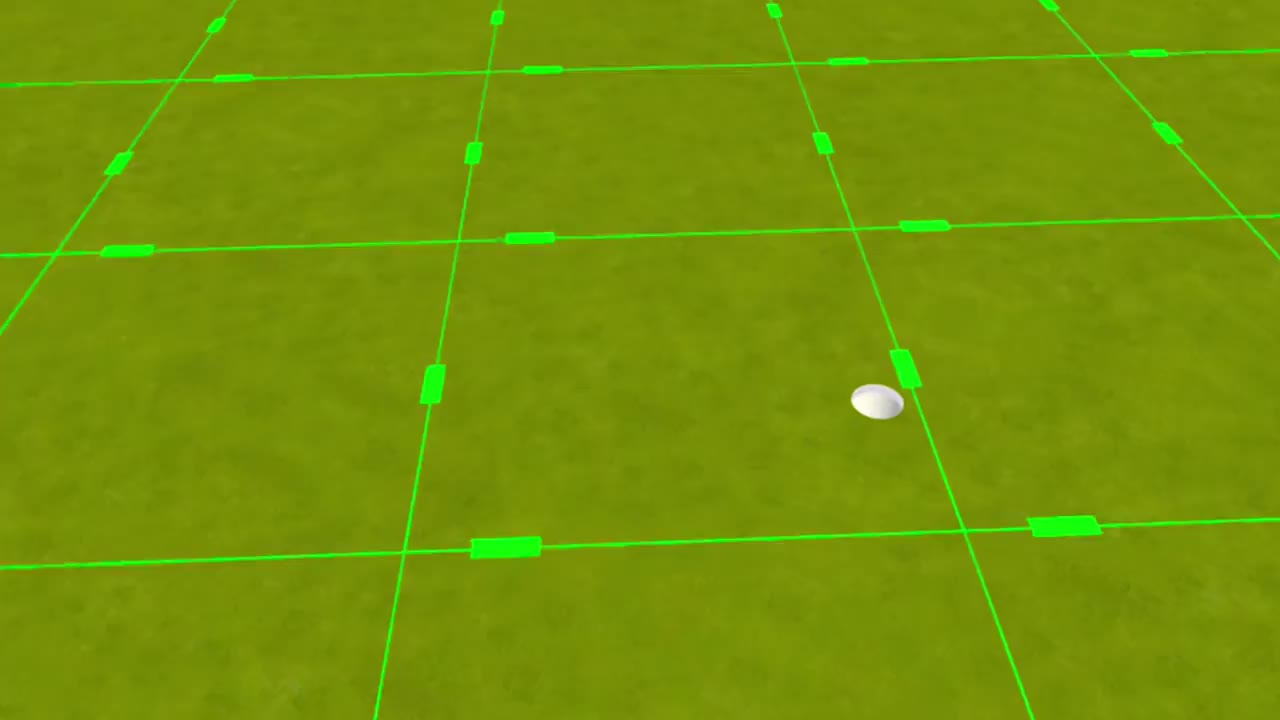
Configure every practice session in Dream Putt with complete environmental control, from green speed to the presence of a flagstick.  Here's what else is available to you in this app.

Pricing

Your infinite putting studio awaits.

Full-featured putting studios used to be a luxury and a dream.  Now, they are available to you.

One subscription to Dream Putt All-Access provides a comprehensive suite of training aids and visuals that on their own cost thousands of dollars combined.

Demo

$0

No greens fees

  • Three demos, up to 30 putts each, every day
    • Start Line – Putt through a tee gate from 5 to 10 feet
    • Course Mode – Putt to any pin on 3 famous Hole 17 greens
    • Distance Control – No holes, putt towards a red zone
  • Ball speed and launch angle
  • Browse course list available in All-Access
Best value

All-Access · Annual

$99.99 / year

The price of one golf lesson for the entire year!

  • Growing library of greens from 100+ championship courses
    • Includes 2027 tour courses
  • 1000+ drills to keep your practice interesting and challenging
  • 50+ famous historical putt recreations and more as they happen
  • Full suite of training aids and slope visuals
  • Strokes gained and performance trends
  • Free course and feature additions and updates

All-Access · Monthly

$9.99 / month

The price of a bucket of balls

  • Everything in All-Access Annual
  • Month-to-month, designed as an extended trial
  • Cancel at any time

Subscriptions are billed through the Meta Horizon Store and managed in your Meta account.

Download on Meta Quest 3/3S

Practice on your terms

Dream Putt delivers what others can't — freedom.

When it comes to putting practice, there is only so much you can do in the real world.

A putting mat, no matter how it is presented, is still a putting mat.  It has one rolling speed that cannot be changed.  Some can help with alignment, posture, and stroke mechanics, however they are often overpriced for what they are.

Putting ramps create unrealistic visuals of holing putts.

Commercial putting green installations both indoors and outdoors start around six thousand dollars and require a lot of space.  These practice areas also create a fixed set of putts to practice.

Adjustable putting platforms create a larger variety of putts to practice.  However, you are once again limited by one rolling speed and by distance based on size of the platform.  Premium putting platforms on the market start around twelve thousand dollars and are designed to stay in one location.

Dream Putt combines the best of everything traditional at-home putting practice solutions provide into one app.

A golfer in a Meta Quest headset putting on a virtual green rendered across a living room floor.

See how Dream Putt stacks up against what's already in your garage.

How Dream Putt compares with a putting mat or ramp, an adjustable putting platform and a backyard green
  Putting mat/ramp Adjustable green Backyard green Dream Putt
Practice long distance putts No No Depends on size of green Yes, up to 100 feet
Practice breaking putts No, ramp doesn't count Yes, with slope/distance limits Yes, one green only Yes, any green from 100+ championship courses
Change the green speed No No Only with real grass, and that's expensive Yes, 4–16 on the Stimpmeter
Space required At least 20 sq ft At least 100 sq ft 400+ sq ft 16 sq ft
Portable Yes No No Yes, headset fits in a backpack
What it costs $80–$600 USD $12,000+ USD $2,500–$16,000 USD Starting at $299.99 USD for Meta Quest 3S $99.99 USD a year for subscription

Still skeptical?  Here's what the training aids built into Dream Putt cost when you buy them separately in the real world.

Training aids

Gate tee gate
$15–$70
String line aiming line
$15–$30
Putting mirror eyeline guide
$30–$90
Spirit level slope reading
$30–$90
Arc trainer putting arc
$100–$200
Tempo trainer stroke model
$600+
Projection system optimal line / trajectory
$2,995–$9,995
Total for others
$3,785–$11,075

Dream Putt

$0

All of these are included and configurable with a Dream Putt All-Access subscription.

Figures are typical US retail as of September 2026 and vary by product and installer.

Jeff on a real green in competition, putter in hand, watching his ball drop into the hole.

Built by one competitive amateur golfer, in Melbourne, Florida

“Dream Putt has made what is impossible in the real world, now possible.”
Jeffrey Mocini — Founder/Creator

As covered in

The Golf Wire

Available October 19 on Meta Quest 3/3S.

Free demos included — try it before you subscribe.

Frequently Asked Questions

Common reads we have seen in the app.

For other questions and inquiries, please contact us at info@dreamputt.app.

Do I need a launch monitor to use the app?

No — no launch monitor or controller mount is required in order to hit putts in the app.  The cameras on the Meta Quest 3/3S headset track the ball.

We do provide support to hit putts with the Square Golf Launch Monitor for both platforms, as it is still a requirement for our Apple Vision Pro app.

Are Meta Quest controllers needed to use Dream Putt?

No — navigation and changing settings within the Dream Putt app is done by pointing hand rays and making pinch gestures.

The hand rays are hidden when you are about to hit a putt so they don't become distracting.

Will Dream Putt run on a Quest 2 or Quest Pro?

No.  The Dream Putt app requires a Meta Quest 3 or Meta Quest 3S headset.  Other Quest models are not supported.

Which courses are included?

Dream Putt has greens built with real-world topography data from over 100 championship courses, including all tour courses for the upcoming 2027 season.  More courses are being added over time.

Our full course list can be accessed within the Dream Putt app prior to subscription purchase.

If you don't see your course, you can contact us at info@dreamputt.app for a quote on adding it to the app.  You can also request it in the course requests channel on our Discord server.

Do I hit a real golf ball?

Yes — you are hitting a real ball, with your own putter, on a dark putting surface, such as carpet or a mat.

There are no controllers in your hands and no accessories mounted to the shaft that add weight to the putter.

The purpose of Dream Putt is to create an immersive, realistic putting experience that fully transfers to the course.

How much light is needed for ball tracking?

A normally lit room is ideal.  The headset needs light to see the ball, but not glare.

Avoid direct sunlight and bright fluorescent lights.  They can reflect off the putter head — especially a shiny one — and make the ball harder to track.

What kind of putting surface do I need?

A black or dark green putting mat, at least three feet long and a foot and a half wide, with minimal white markings is recommended.

The cameras in the headset find your golf ball by contrast, so a lighter surface makes this process of tracking the ball more difficult.

We also recommend a meditation pillow to stop putts placed approximately 3 feet ahead of you.  There are plenty of affordable options available online.

Do I need a lot of physical space for Dream Putt?

No — you will only need approximately 16 square feet, which is the standard boundary size on the Meta Quest 3 and 3S headsets.

This will give you plenty of room to look at putts from behind the ball and practice your putting routine effectively.

Can I use colored golf balls?

For best performance with tracking your ball from the headset, we recommend using only new white or yellow golf balls with no Sharpie markings.

However, you can customize the appearance of your virtual golf ball — from ball color to alignment marking, with a Dream Putt All-Access subscription.

You can even show the virtual ball while at address so it feels like you are putting with a specific ball color with your putts always lined up!

Is there a free trial of Dream Putt All-Access available?

Not a timed one — the demos are the trial.  Every day you get three free demos of up to 30 putts each, and they never expire.

Each demo showcases different training aids and features available in the app, such as an alignment line, putting arc, tee gate, optimal make range, and slope measurement by pinch.

If you want the full Dream Putt experience, the monthly plan is designed as an extended trial: 30 days of All-Access for the price of a bucket of balls, and you can cancel at any time.

Where can I find tutorials?

Tutorials for Dream Putt can be accessed from multiple places within the app and can be watched while you are putting.

They are also available on our YouTube channel.  If you have any questions, join our Discord server.

How do I cancel my subscription?

If for any reason you would like to cancel your Dream Putt All-Access subscription, you can go into the Meta Horizon Store app on your headset and manage your subscription settings there.

Your access runs to the end of your subscription period.

Why Dream Putt was created

Practice now has no limits.

During a practice round for a U.S. Amateur qualifier, my playing partners and I hit no more than two putts toward each marked hole location before we had to move on.

The pace of play was already slow that day.  On our sixth hole, golf balls started landing around us on the green without warning — from a group of non-competitors behind us.  I didn't appreciate it.

I was a guest at their club and I felt unwelcome and disrespected, and somewhere in the middle of being angry at those men, the whole app arrived in a single moment.

I envisioned being able to load any green from a tournament course I was playing and practice any putt at home or in my hotel room in mixed reality.  I could spend as much time as I needed to learn how putts break towards any hole location I was interested in without worrying about things outside my control.

I built the system all by myself.  A portable, infinite putting studio with no limits.  I still think about that sixth green and the gratitude that comes along with it.

The future of putting practice is here

And it has never been easier.

Create any kind of putting practice, from mechanics to performance, in seconds.  The only question left is whether you're ready to put in the work to become a great putter.

Jeff at address in a Meta Quest headset, broomstick putter upright, head turned to read the putt.